AI icons, generative AI, LLMs
By Vlad Solomakha · Interface icons · March 2024
Visual analysis
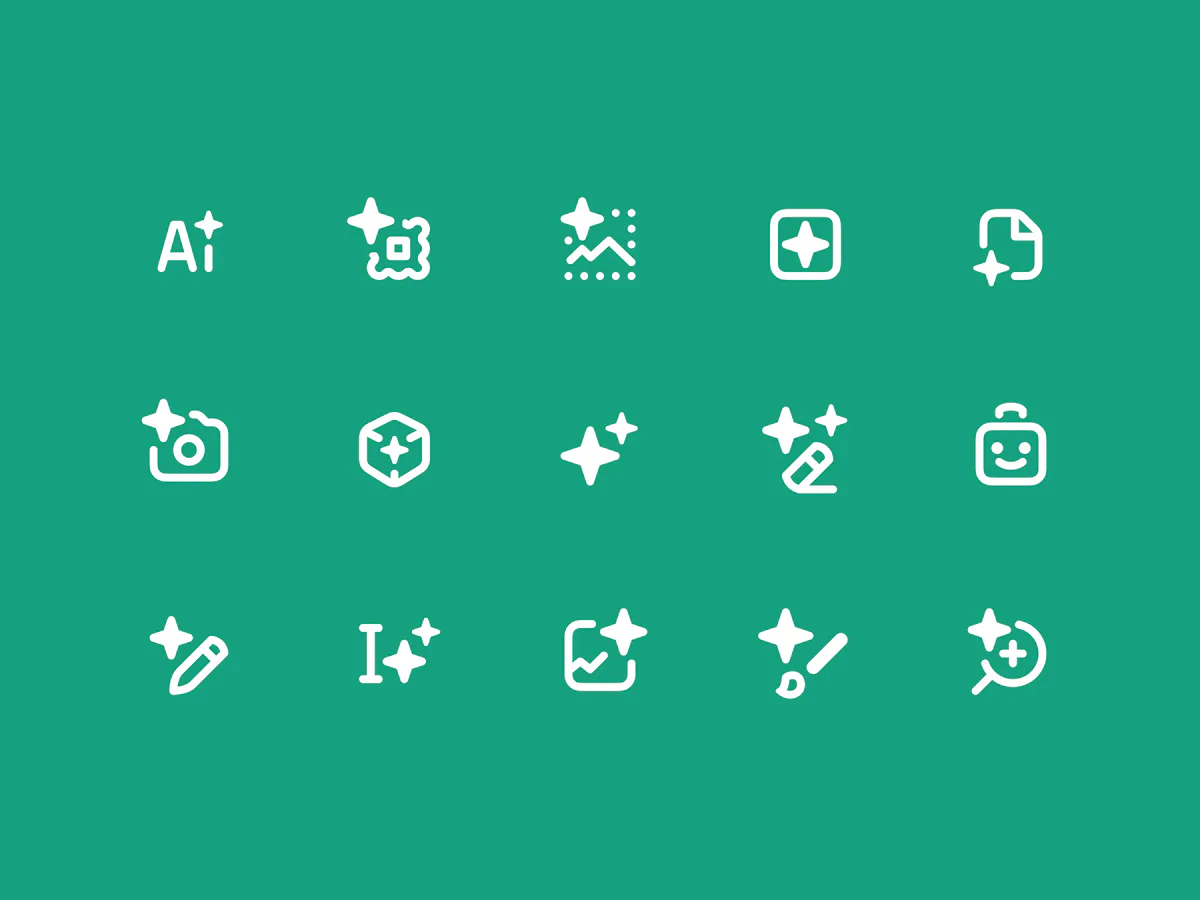
A friendly AI toolkit where one small sparkle turns ordinary tools into smart ones. Vlad Solomakha takes the sparkle, the sign most apps now use for AI, and makes it the grammar of the whole set. A camera, a pencil, a cursor or a chart becomes its AI version once a four-point star lands on its corner, and the outline opens with a small gap to make room for it. Round ends and a soft line keep the mood light and welcoming, as the smiling robot confirms. The system is easy to learn and extend, though many products share the same convention.
Image description
Fifteen white rounded outline icons on a teal green background, in a 5 by 3 grid. Most icons combine an everyday object with one or two four-point sparkle stars. Subjects: "Ai" text with a sparkle, processor chip with a sparkle, image area with a dotted frame and sparkle, sparkle inside a rounded square, document with a sparkle, camera with a sparkle, 3D cube with a sparkle, two sparkles, eraser with sparkles, smiling robot face, pencil with a sparkle, text cursor with sparkles, chart with a sparkle, paint brush with a sparkle, magnifying glass with a plus and a sparkle. Style: rounded outline icons, AI and generative AI features, white on green, UI icons.
Fifteen icons for generative AI features: text, image, camera, 3D cube, edit, robot, brush, chart and zoom, each paired with a four-point sparkle. They are drawn in a bold white 3px line with round caps and joins on emerald green. The consistent spark modifier signals AI and the base objects stay literal, so each icon reads quickly. The repeated spark makes the set cohesive, but icons can be hard to distinguish at a glance when sizes are very small.
Style: line, about 3px bold, round caps and joins, white, fully rounded, 24px grid, consistent padding.
What works
- A four-point spark acts as the shared AI marker, added to familiar objects to signal generation
- Bold rounded stroke is friendly and holds at small sizes
- Dotted lines in the image and sparkle icons convey generation and selection clearly
- Every metaphor keeps the base object legible and adds just one modifier
What to watch
- The spark repeats so often that icons differ mainly in the base object
- Dotted details are fine for 16px rendering
Works best for: generative AI tool menus, creative app toolbars, AI feature labels.
Featured in Best Icon Projects – March 2024 on the Streamline blog. See the original project.