Firefox Icon System
By Carlotta Govi · Interface icons · March 2025
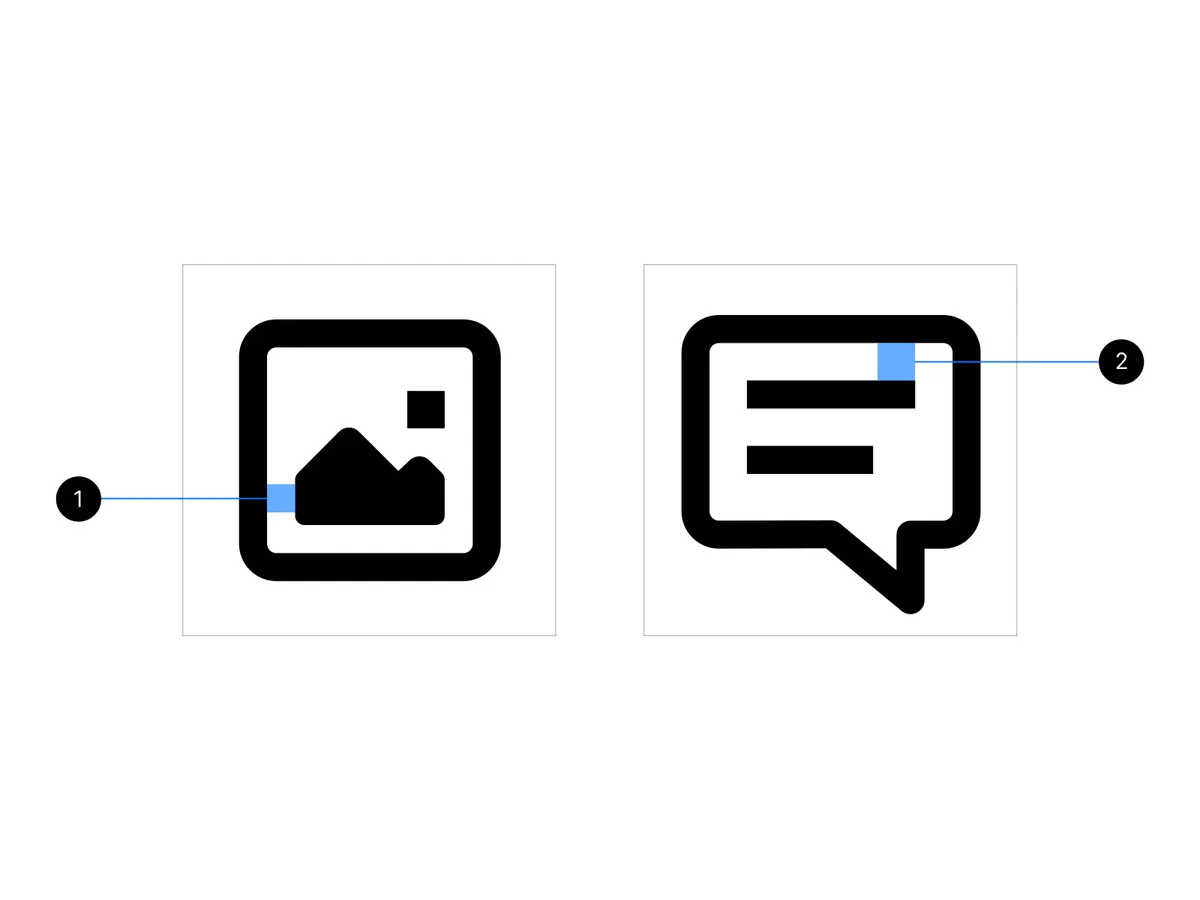
Two icons, two blue callouts, one rule about gaps. A construction diagram for a browser's icon system, with an image frame and a chat bubble in their squares, drawn in heavy black with rounded outer corners. Numbered blue marks show the minimum gaps. Two icons can't show a whole system, but they do show its logic.
A construction diagram for a browser icon system, showing an image frame and a chat bubble at large scale inside their bounding squares, with two numbered blue callouts marking minimum gaps. Each icon combines a heavy black outline with rounded outer corners and solid interior shapes such as mountains and text bars. The diagram explains the spacing rules that keep the interior open at small size. Only two icons are shown and the callouts are not explained in the image.
Style: solid, about 14px bold black stroke in 64px example with filled shapes, rounded outer corners, small inner radius, visible bounding square with numbered callouts.
What works
- Numbered callouts in blue highlight the key spacing relationships (gap between mountain and frame, gap between text lines and edge).
- Bold stroke with consistent inner gaps makes the pictograms stay open and legible at small sizes.
- Filled interior shapes (mountains, text bars) balance the heavy outline.
What to watch
- Only two icons are shown, so the whole system cannot be evaluated.
- The numbered callouts have no accompanying explanations in the image.
Works best for: browser product UI, design system documentation, icon construction guidelines.
Featured in Icon Design Spotlight (March 2025) on the Streamline blog. See the original project.
More by Carlotta Govi
- Firefox Icon System V1.0 by Carlotta Govi
- Sneak peek of the new Firefox icon system by Carlotta Govi
- A preview of the new Firefox icon system by Carlotta Govi
- Amazon OIC Icon System by Carlotta Govi